
PTC Wizard is introducing a new feature that allows schools to create multiple administrator accounts and assign specific roles and permissions according to each user's responsibilities. Each manager can have a different role and perform assigned tasks independently, helping streamline the overall workflow on your admin page.
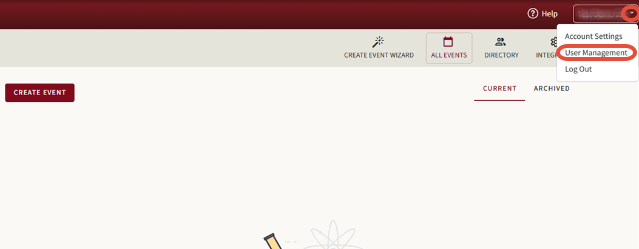
To choose and add each Manager, please go to the User Management menu (as shown in the first screenshot: The name of the School --> User Management) and click the Add User button (second screenshot).
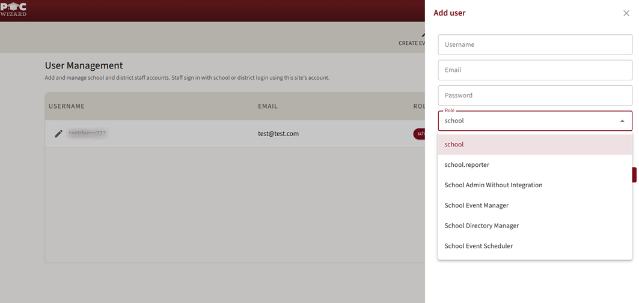
Admin Roles and their Features
1. School Reporter
Available button: All Events
Can view the page with active and archived conferences and generate various reports, including Teacher Reports, Parent Reports, Master Schedule, and more.
(The page view is shown below.)

2. School Admin Without Integration
Available buttons: Create Event Wizard, All Events, and Directory.
Can view, create, and Edit Events, make changes to the Schedule, and generate Reports.
Can create, delete, and update information regarding Teachers, Parents, Students, their Connections, and Teams in the Directory.
Can update Account Settings.
(The page view is shown below.)
3. School Event Manager
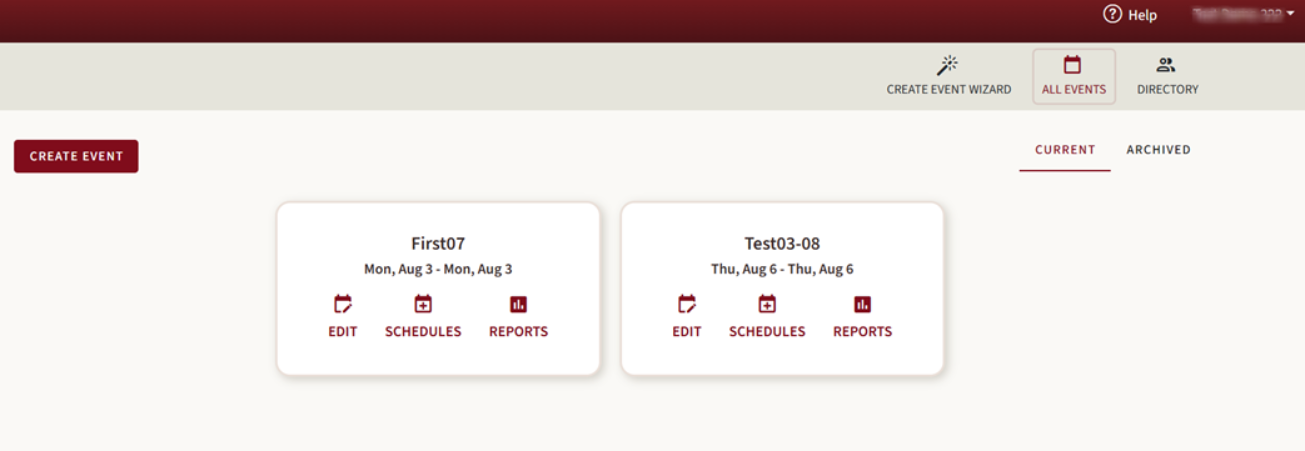
Available buttons: Create Event Wizard, All Events.
Can view, create, and Edit events, make changes to the Schedule, and generate Reports.
(The page view is shown below.)

4. School Directory Manager
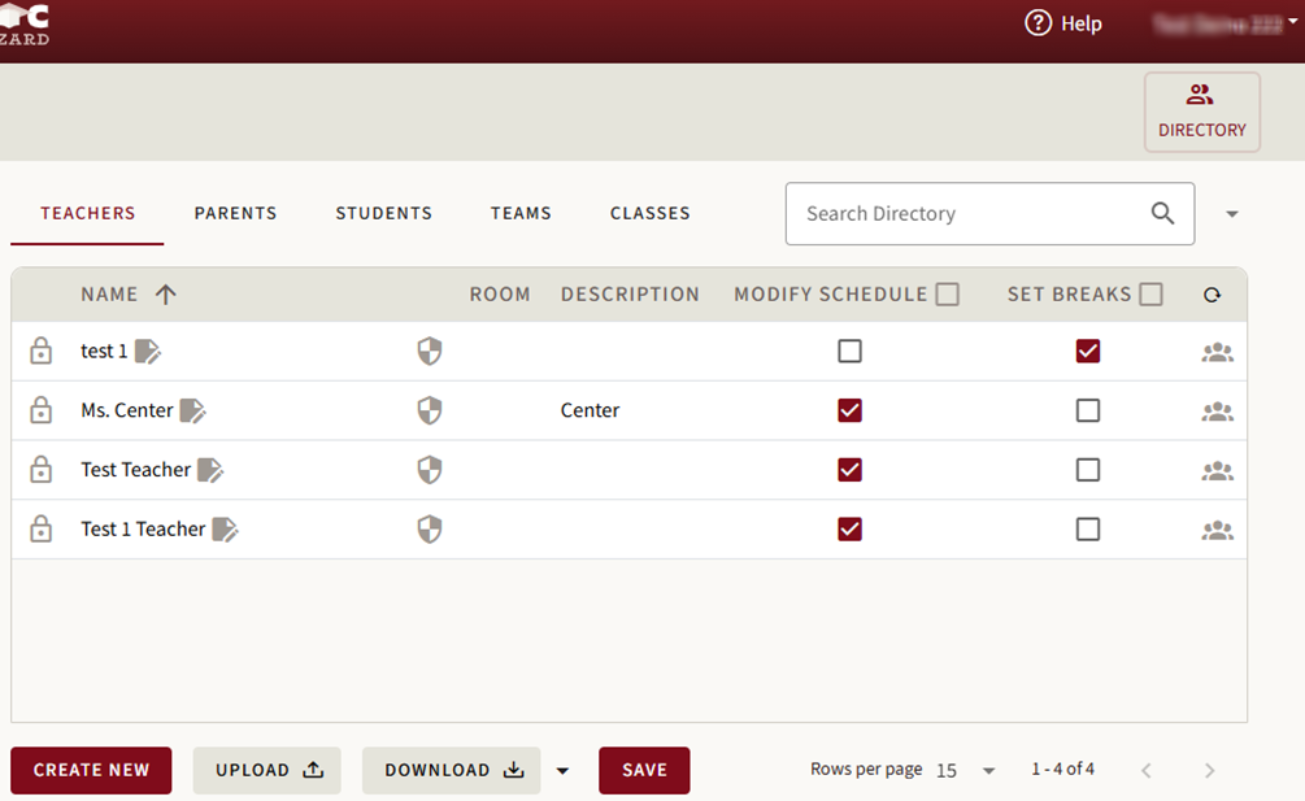
Available buttons: Directory.
Can update information for Teachers, Parents, Students, Teams, and Classes.
Can manually create new users.
Can upload and download CSV files from the Teachers, Parents, Students, and Teams pages.
(The page view is shown below.)
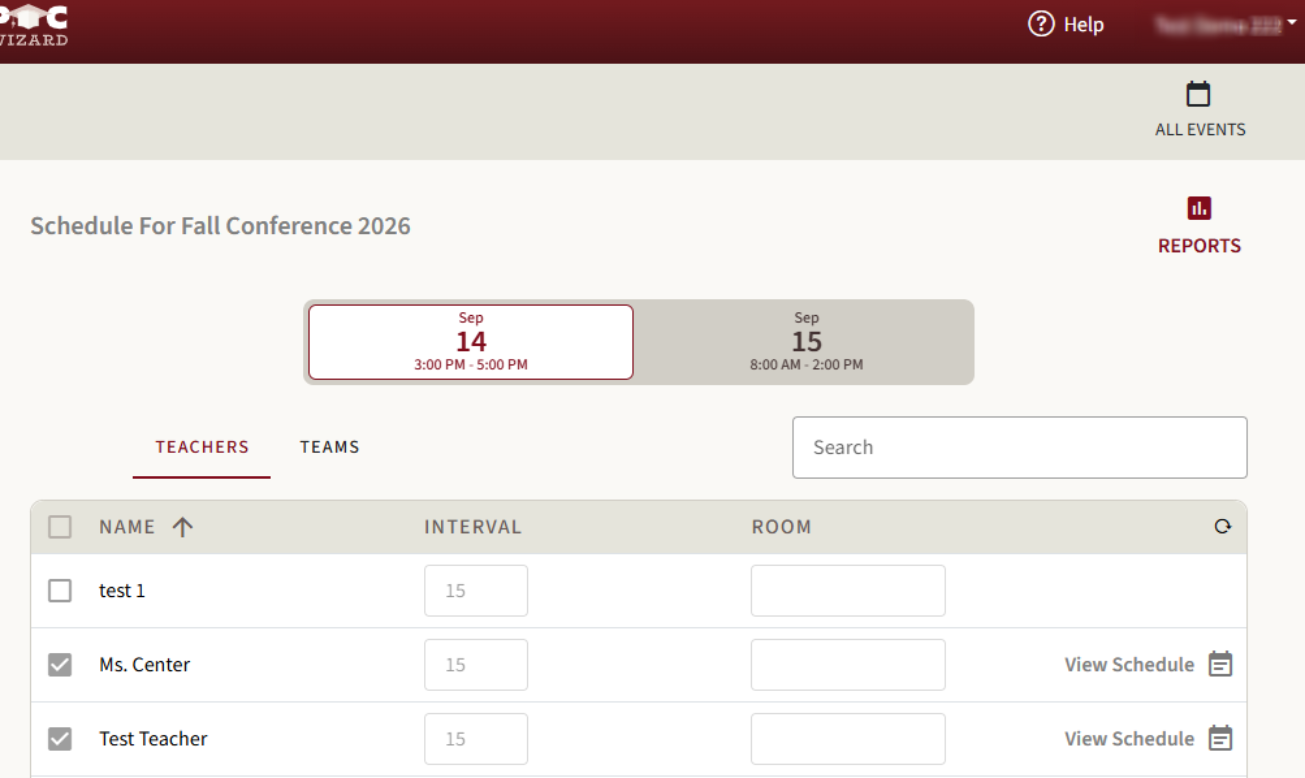
5. School Event Scheduler
Available buttons: All Events.
Can generate reports.
Can modify Schedules in View Schedule.
Cannot create events and invite or remove teachers or Teams from conference days.
(The page view is shown below.)

We hope this article has been helpful!
If you have any questions or need further assistance, please don't hesitate to contact our support team (support@ptcwizard.com). We are always happy to help!