Infinite Campus OneRoster Integration
Print
Modified on: Fri, 2 Oct, 2026 at 9:31 AM
We support integration with Infinite Campus through the OneRoster API available in Infinite Campus. With this integration, your school’s information will be synced automatically, so you will not need to manually upload CSV files.
We currently support:
OneRoster 1.1
OneRoster 1.2
Please make sure that your Infinite Campus setup uses one of these supported OneRoster versions.
Before setting up the OneRoster API connection, you should first connect your account to the Infinite Campus Integration.
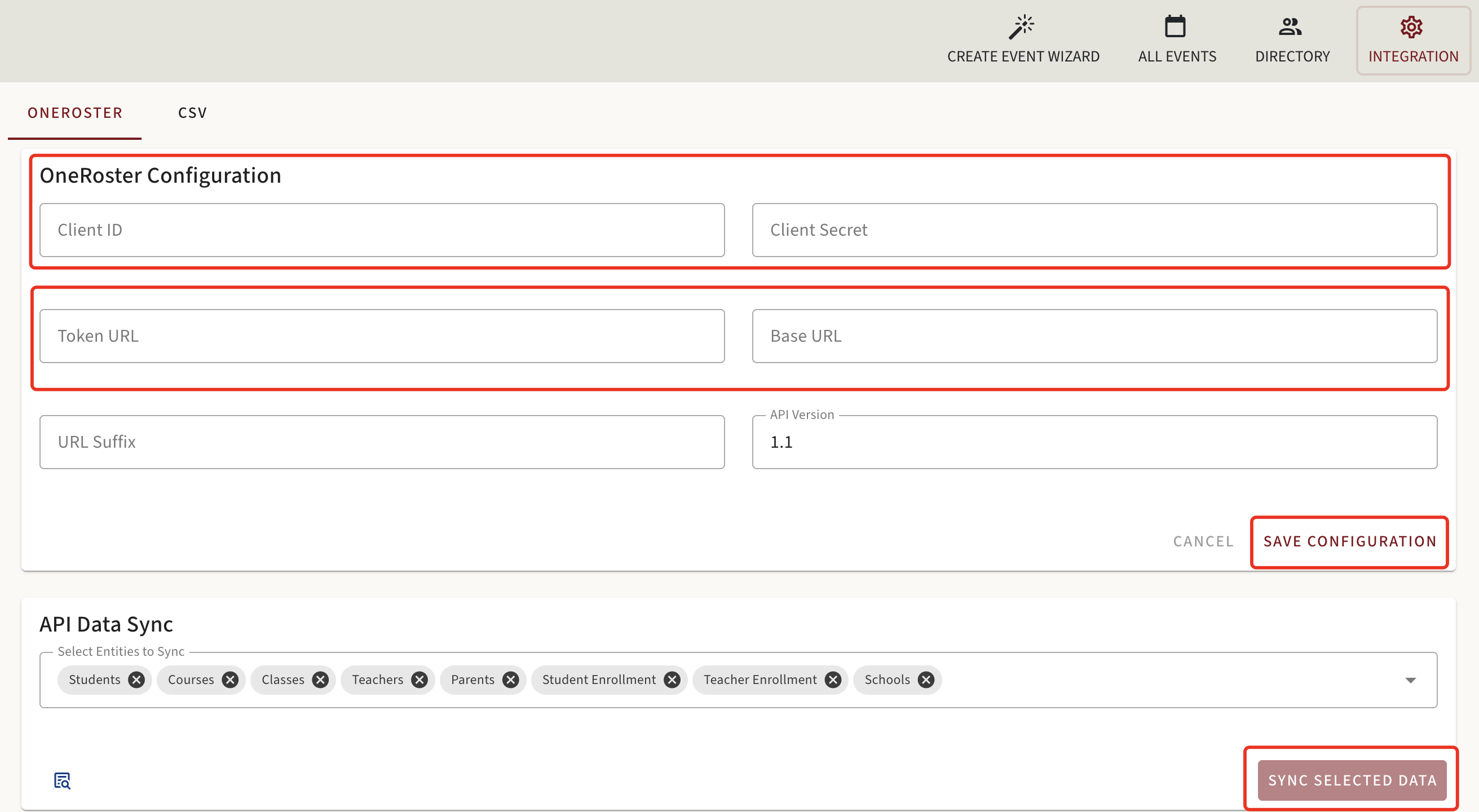
To connect Infinite Campus through OneRoster, go to the Integration section and enter the following information in text format:
Client ID
Client Secret
Token URL
Base URL
Please refer to the screenshot below for an example of where to enter this information.
Once all required information has been entered:
Select the entities you would like to sync.
Click Sync Selected Data.
Wait for the synchronization to complete.
Once the information has been successfully synced, switch back to Infinite Campus Integration.
Important Notes
Make sure you are using OneRoster version 1.1 or 1.2.
Double-check the Client ID, Client Secret, Token URL, and Base URL before starting the sync.
Select the entities you need to synchronize.
Need Assistance?
If you have any questions, please reach out to our Support Center for additional help at support@ptcwizard.com. We are always happy to help!
Did you find it helpful?
Yes
No
Send feedback Sorry we couldn't be helpful. Help us improve this article with your feedback.
