
If your school has enabled the Request Translator option for parent-teacher meetings, you will be able to indicate whether you need a translator directly from your parent account.
Please note that PTC Wizard does not provide translator or interpretation services. This option is designed to inform your school and teachers that you require a translator for the meetings. If the school is able to accommodate your request, they will arrange the necessary assistance.
How to Request a Translator
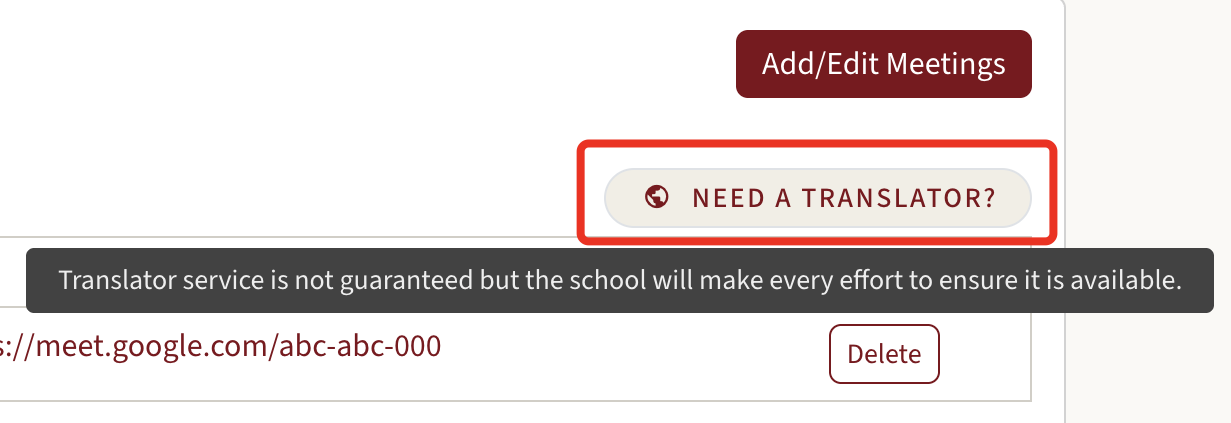
- After your meetings are booked, an icon will appear above the meeting panel in your account to indicate that a translator has been requested. The icon will be green if a translator is requested and gray if not.
- If only one language is available, you can simply click the icon once to indicate whether you need a translator or do not require one (screenshot 1).
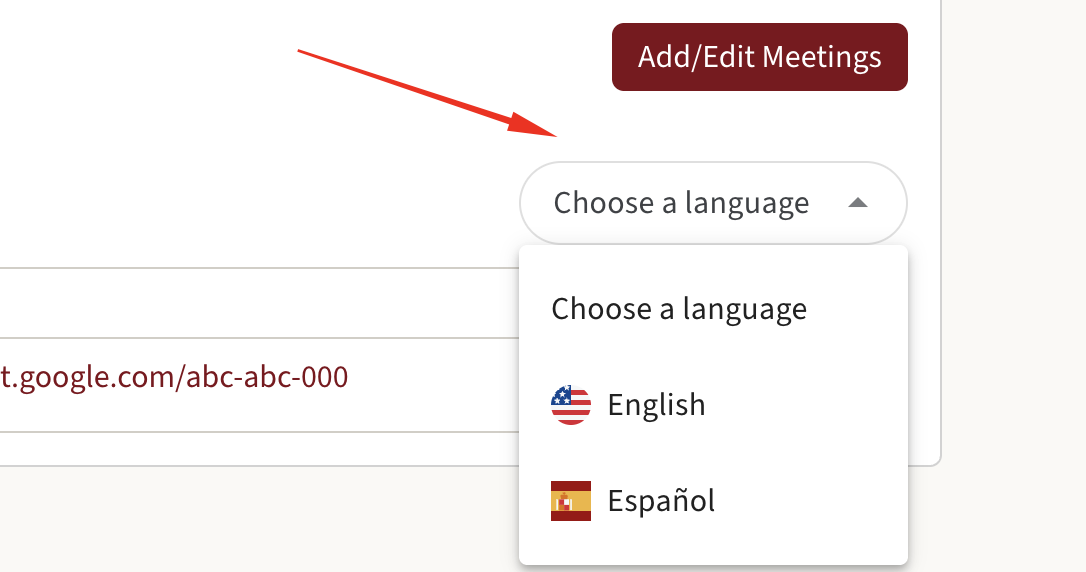
- If multiple languages are available, you must select your preferred language from the drop-down menu (screenshot 2).
If You Do Not Need a Translator
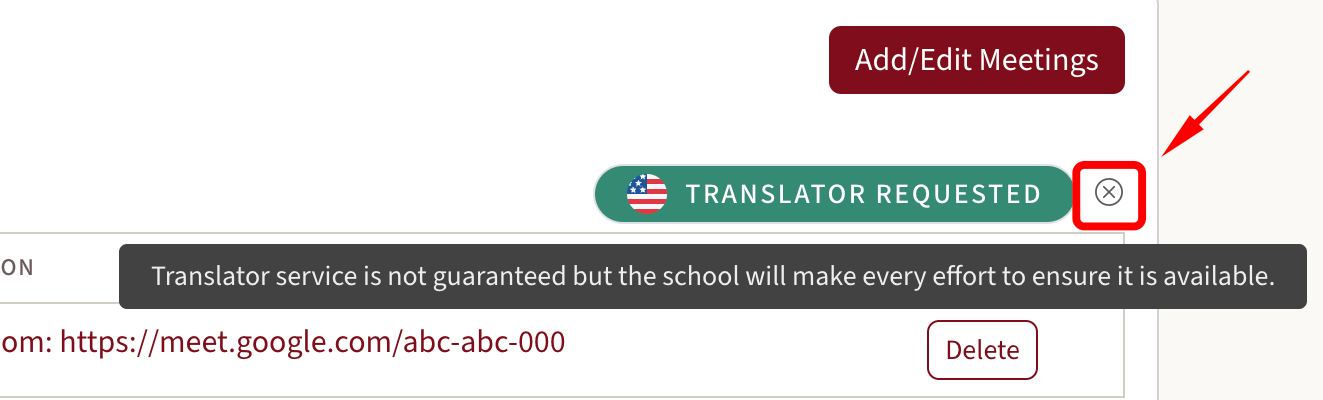
- If you do not require a translator, you need to click the “X” (cross) next to the translator option. This confirms that no translator is needed for your meetings (screenshot 3).
1.
2.
3.
Please make sure your selection is accurate before finalizing your bookings to help the school prepare accordingly. If you have any questions, feel free to contact your school directly for assistance!